Programmatic Manipulation with STL Files
Besides manual mesh processing in programs like Netfabb Basic, it’s possible to process mesh programmatically – that is, to create programs that do something more or less interesting with the mesh. Since we’re at the Faculty of Information Technology, it would be a shame not to explore this approach.
Options for Processing Mesh in STL Format
The STL format is very simple. Its description can be found in the exercise devoted to mesh and errors in it. Reading and saving files in STL format is therefore not rocket science, but it’s rather boring programming.
Fortunately, there are already finished open-source libraries that solve this for us.
There are quite a few libraries; finding a suitable library for your favorite language is a matter of a few seconds of internet searching. Here we’ll mention at random:
- numpy-stl for Python + NumPy
- STLdotNET for C#
- STL-Loader for Java
- …
We’ll use the library ADMesh, which is written in C language, can be easily used in C++, and bindings exist for Python and Ruby languages.
ADMesh
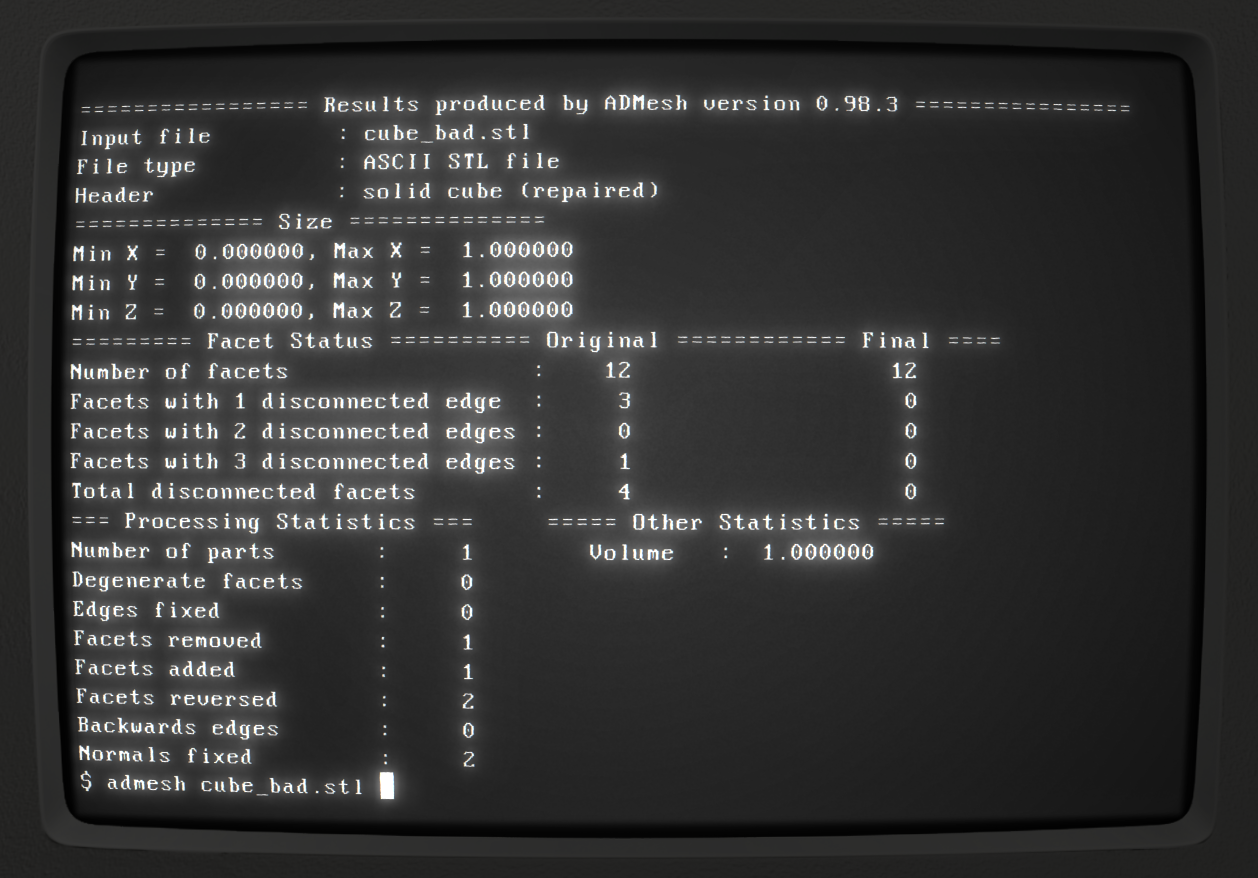
ADMesh is an open-source program that allows manipulating STL mesh from the command line. Besides the interface for command line, there’s also a library API available, which originally wasn’t created with the intention of reusability, so its use is often non-intuitive.
Library Installation
To use the ADMesh library, you first need to install the library.
If you use Linux, you can explore your distribution’s packages;
you’re interested in the devel or dev package to get header
files and other things needed for compiling programs using ADMesh.
In Fedora distribution you want the admesh-devel package,
in Debian distribution then libadmesh-dev.
In any case, you need version 0.98.x;
older versions contain only the command-line program.
For macOS you can use homebrew.
For Windows operating system, there are precompiled archives available on GitHub.
On all supported systems you can compile the library yourself from source code.
Building on Linux Yourself
After downloading admesh-0.98.5.tar.gz and extracting:
$ ./configure
$ make
$ export ADMESHDIR=~/admesh
$ make install DESTDIR=$ADMESHDIR
To compile source code into a program, you need to tell the linker that we want to use the ADMesh library, and pass to the compiler the path to the header file and library:
$ export ADMESHDIR=~/admesh
$ gcc -L$ADMESHDIR/usr/local/lib/ -I$ADMESHDIR/usr/local/include/ source.c -o myapp -ladmesh$ LD_LIBRARY_PATH=$ADMESHDIR/usr/local/lib/ ./myappInstalling and Compiling ADMesh on macOS
For installation we’ll use Homebrew. If you don’t have it installed, install it according to instructions at https://brew.sh/
$ brew install admeshTo compile source code into a program, you need to tell the linker that we want to use the ADMesh library, and pass to the compiler the path to the header file and library:
$ gcc -L/opt/homebrew/lib/ -I/opt/homebrew/include/ source.c -o myapp -ladmesh$ ./myappBasic Usage
To use the library, just include the header file admesh/stl.h:
#include <admesh/stl.h>In the library there’s a set of structures and functions that you can use for basic manipulation with STL models.
Loading Model from File
First you need to load the file from disk into the stl_file structure.
#include <stdlib.h>
#include <admesh/stl.h>

int main(void) {
  stl_file stl; 1
  char *filename = "directory/model.stl"; 2
  stl_open(&stl, filename); 3
  stl_exit_on_error(&stl); 4

  /* ... TODO ... */

  stl_close(&stl); 5
  return EXIT_SUCCESS;
}- Declaration of new variable
stlof typestl_file. - Setting string with path.
- Library function for loading file from disk.
A reference to a structure of type
stl_fileis used here. This is similar for all other functions from the ADMesh library. Don’t forget that C doesn’t have classes, so the structure must be explicitly passed to all functions. - Because reading from disk can end with an error,
the result needs to be verified.
An error flag is set on the structure in the
errorattribute. In the case of a terminal application we probably want to exit the program on error, this function serves for that, which cleanly exits the program in case of error. If we don’t use it, we risk the program crashing on the next operation. The error can of course be handled differently, but for our purposes this suffices. - After finishing work with the
stl_filestructure, it needs to be closed.
Compiling the Program
To compile source code into a program, you need to tell the linker that we want to use the ADMesh library:
$ gcc source.c -o myapp -ladmeshOr, if you don’t have ADMesh installed in standard paths, you need to set absolute paths to both the library and header file:
$ export ADMESHDIR=~/admesh
$ gcc -L$ADMESHDIR/usr/local/lib/ -I$ADMESHDIR/usr/local/include/ source.c -o myapp -ladmesh$ ./myappLD_LIBRARY_PATH$ LD_LIBRARY_PATH=$ADMESHDIR/usr/local/lib/ ./myappDYLD_LIBRARY_PATH$ DYLD_LIBRARY_PATH=$ADMESHDIR/usr/local/lib/ ./myappWorking with the stl_file Structure
After loading the file into memory, you can work with the stl_file structure in any way.
For example, view or change data.
The structure is no longer data-bound to the file on disk and all data is in program memory.
To view individual facets, you can use the pointer (array) facet_start.
In the array, facets are stored in the form of stl_facet structures,
which contain a normal – attribute normal
(structure of type stl_normal containing 3 floats (x, y, z)),
three vertices – attribute vertex (array of three structures of type stl_vertex
each containing 3 floats (x, y, z)) and attribute extra, which you can ignore.
float x = stl.facet_start[0].vertex[0].x; 1
float z = stl.facet_start[1000].vertex[1].z; 2- X coordinate of the first vertex of the first facet
- Z coordinate of the second vertex of the thousandth facet
To be able to go through all facets, you first need to know how many there are.
This information can be found in the stats attribute, which contains a structure with lots of
useful data, mostly numbers.
One of them is number_of_facets, i.e., the number of facets.
stl.facet_start[stl.stats.number_of_facets-1] 1- Last facet
In statistics (stats) you’ll find more information,
an overview of which is in the definition of the stl_stats structure in the stl.h file
or in the not very good documentation.
Here’s a short example program that loads an STL file model.stl
(binary or ASCII) and writes it as ASCII or binary STL to
the same file – it makes ASCII from binary and binary from ASCII.
You can view and change data at will. If you want to enlarge the model, for example, theoretically it’s enough to perform the appropriate mathematical operation on all coordinates of all vertices of all facets.
Most basic operations are already covered by the program authors.
Functions for Manipulating the Model
For "typical" operations with 3D models, there are prepared functions. In the library you’ll find functions for rotating, scaling, moving…
Usually it’s enough to look at their list in the header file.
Among the interesting ones are:
void stl_translate(stl_file *stl, float x, float y, float z)void stl_translate_relative(stl_file *stl, float x, float y, float z)void stl_scale_versor(stl_file *stl, float versor[3])void stl_scale(stl_file *stl, float factor)void stl_rotate_x(stl_file *stl, float angle)(angle in degrees)void stl_rotate_y(stl_file *stl, float angle)(angle in degrees)void stl_rotate_z(stl_file *stl, float angle)(angle in degrees)void stl_mirror_xy(stl_file *stl)void stl_mirror_yz(stl_file *stl)void stl_mirror_xz(stl_file *stl)
Varování:
All functions work directly on the given model (in place) and return nothing. So if you scale the model to double size three times, for example, it will be eight times as large as at the start.
Functions for Writing Model to File
After finishing work with the model, it’s often necessary to write the model to disk again (export).
Functions stl_write_ascii() and stl_write_binary() serve to write the model in STL format,
which differ in the resulting format: they write ASCII STL and binary STL respectively.
Both functions take three arguments:
- reference to
stl_filestructure, - path on disk (where to write the file),
- mesh name.
The mesh name is not related to the file name,
but is only textual information stored in the STL file.
This information is not used in practice and is often replaced by the name of the program
that created the mesh.
For example, models from OpenSCAD are always named OpenSCAD_Model.
Varování:
After calling the function, you need to handle a possible error, just like when loading a file!
/* ... */
stl_write_ascii(&stl, filename, "whatever"); 1
stl_exit_on_error(&stl); 2
/* ... */
stl_close(&stl); 3- Saving file.
- Handling possible error (see loading file).
- After finishing work, the structure needs to be closed. After exporting the model, we can still do other operations.
Example Program for Converting ASCII/Binary STL
As an example, a complete program for converting an ASCII STL file to binary form (or vice versa).
#include <stdlib.h>
#include <admesh/stl.h>

int main(void) {
  stl_file stl;
  char *filename = "model.stl";

  printf("Opening %s\n", filename);
  stl_open(&stl, filename); 1
  stl_exit_on_error(&stl); 2

  if (stl.stats.type == binary) { 3
    printf("Writing ASCII file %s\n", filename);
    stl_write_ascii(&stl, filename, "converted"); 4
    stl_exit_on_error(&stl); 5
  } else {
    printf("Writing binary file %s\n", filename);
    stl_write_binary(&stl, filename, "converted"); 6
    stl_exit_on_error(&stl); 7
  }

  stl_close(&stl); 8
  return EXIT_SUCCESS;
}- Loading model from file.
- Handling possible error.
- Checking format.
- Writing to file in ASCII format. We don’t care about the name in the header.
- Handling possible error.
- Writing to file in binary format. We don’t care about the name in the header.
- Handling possible error.
- The structure needs to be closed.
More Information
Individual library functions and structures can be found in the file
admesh/stl.h.
The library unfortunately doesn’t have much documentation, although something is emerging at
admesh.readthedocs.io.